-
- Reseller
-
Products
Tailored Product Demo for Your Exact Needs
Explore how our solution delivers efficiency, control, and scalability.
Request a Demo
-
Solutions
Tailored Product Demo for Your Exact Needs
Explore how our solution delivers efficiency, control, and scalability.
Request a Demo
- Dashboard
- Features
- Pricing
Professional HR Email Signatures
for Microsoft 365
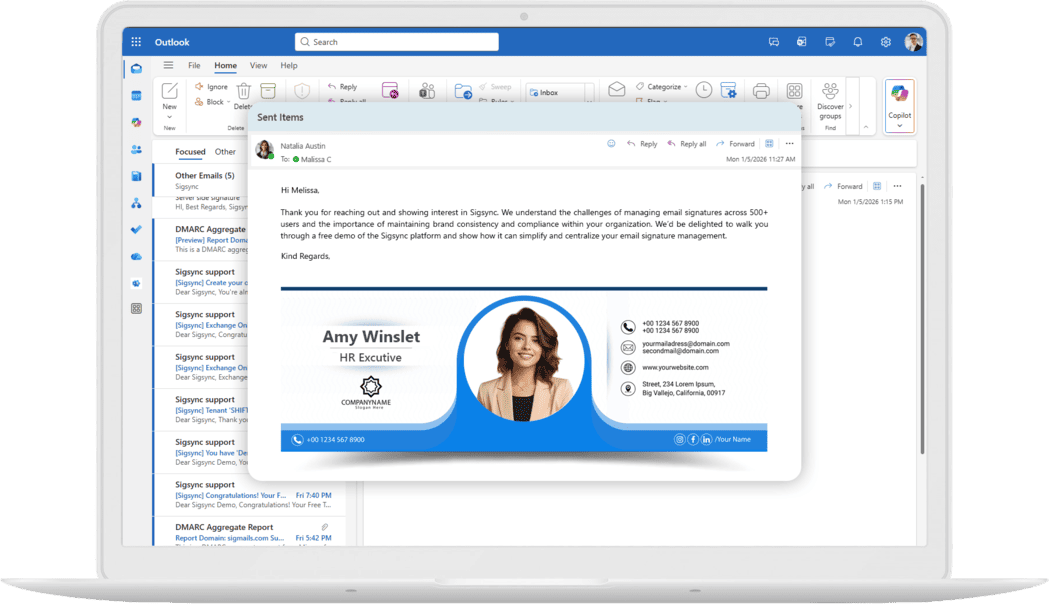
One place to manage recruiter, onboarding and payroll signatures, filled in from Microsoft Entra ID and applied to every HR email.
- Trusted & Certified
150M+
Signatures Delivered Monthly
99.99%
Service Availability
150+
Countries Served
5000+
Organizations Trust Sigsync
Why HR Teams Need Professional
Email Signatures
HR email signature management, explained for HR teams
For many candidates, an HR email is the first message they ever receive from your company, and the HR signature in email is what tells them who is writing. Sigsync is Microsoft 365 email signature software that lets you set up an HR department email signature once and manage recruitment, onboarding, payroll and internal announcement signatures from one dashboard, so every message carries the same approved details and branding.
Left to individuals, HR signatures drift: an old job title, three different fonts, a hiring banner still promoting a role that closed last month. With Sigsync, names, titles, departments and contact details come from Microsoft Entra ID, and templates are applied through group-based rules, so nobody has to update Outlook by hand.
Browse the full list of signature features, or start from a ready-made template in the signature editor.
Centralized HR Email Signature
Management
Manage every HR signature from a single dashboard. Change a template once and the update reaches everyone covered by its rules, with no request to each employee.
Automated Employee
Details
Sigsync pulls name, job title, contact details and department from Microsoft 365 and Microsoft Entra ID (formerly Azure Active Directory). When a title changes in the directory, the signature follows after the next synchronization.
Department-Specific
Templates
Build separate templates for recruiters, onboarding coordinators, payroll, employee relations and HR operations, each with the links and banners that team actually needs.
Hybrid Workforce
Support
Remote and office-based HR staff send the same signature, whether they use Outlook on desktop, Outlook on the web or a mobile device.
Legal Disclaimer
Automation
Add approved compliance notices, confidentiality statements and HR disclaimers to emails covered by your signature rules. Read about Sigsync’s GDPR and HIPAA safeguards.
Professional Recruitment
Emails
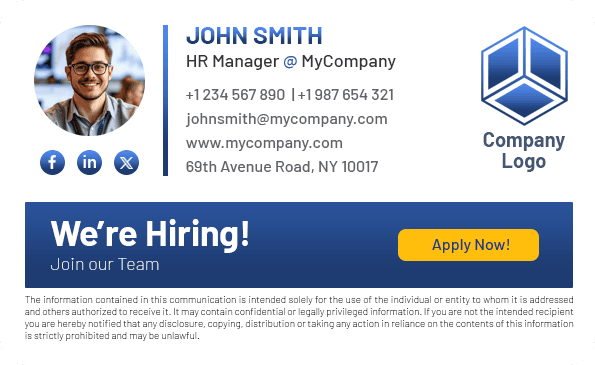
Give recruiters a branded banner, a careers page link, direct contact details and social profiles. Read more ways HR managers can use email signatures.
Benefits of HR Email Signature
Management
A managed HR email signature keeps communication consistent for candidates and employees, and takes routine signature updates off IT’s plate.
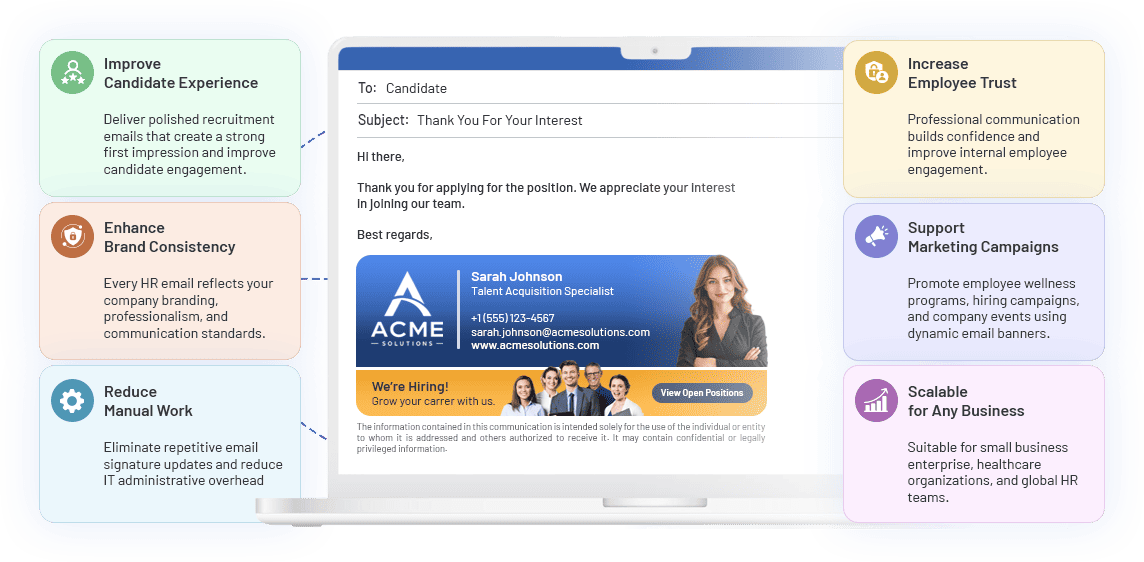
- Improve Candidate ExperienceSend recruitment emails with the recruiter’s correct details, a careers link and your employer brand from the first message.
- Enhance Brand ConsistencyRecruiters, HR business partners and payroll staff all use an approved HR email signature.
- Reduce Manual WorkStop chasing people to fix signatures, and cut the small signature tickets that land with IT.
- Increase Employee TrustAccurate names, roles and contact routes make it clear who is writing and who to reply to.
- Support Marketing CampaignsPromote wellness programs, hiring drives and company events with banners you can swap from the dashboard.
- Scalable for Any BusinessWorks for a two-person HR team and for global HR departments, including healthcare organizations.

How HR Teams Use Sigsync
to Enhance
Employee Communication
Promote training programs, company events, wellness initiatives and employee surveys through signature banners. Update or swap a campaign from the dashboard without asking staff to change their signatures, and take it down when the campaign ends.
Give new employees a branded signature using their name, job title and department from Microsoft 365. Once set up, directory synchronization and the applicable rules are in place, new hires do not need to create signatures themselves, and HR does not have to send a “please update your signature” email in week one.
Recruiters, HR business partners and payroll staff send from approved templates, so candidates and employees see a consistent employer brand in every conversation.
Update disclaimers, hiring banners or contact details for the HR team from one dashboard. Apply changes through the relevant group rules without asking each employee to update Outlook settings.

HR Email Signature Templates for
Every HR Role
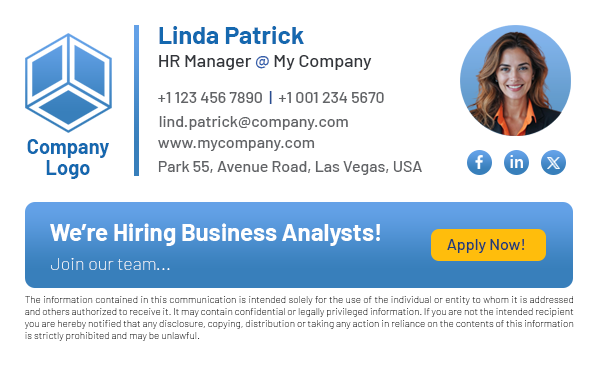
One HR signature rarely fits everyone. A recruiter needs a careers link, while a payroll specialist needs a confidentiality notice and nothing promotional. Build one template per role, then apply each to the matching Microsoft 365 group.
-
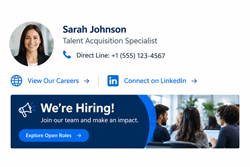 Recruitment email signature
Recruiter name and title, a direct line, your careers page, a LinkedIn profile and a hiring banner. Swap the banner from the dashboard when the role is filled.
-
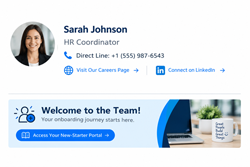 Onboarding email signature
Welcome-week emails from HR coordinators can point to the new-starter portal or handbook with one link, in the same branding as the rest of the company.
-
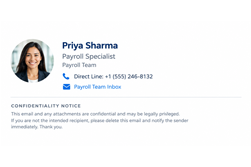 Payroll email signature
Keep it plain and readable: name, team, contact route and the confidentiality notice your policy requires. Leave promotional banners off sensitive messages.
-
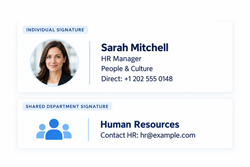 HR manager email signature
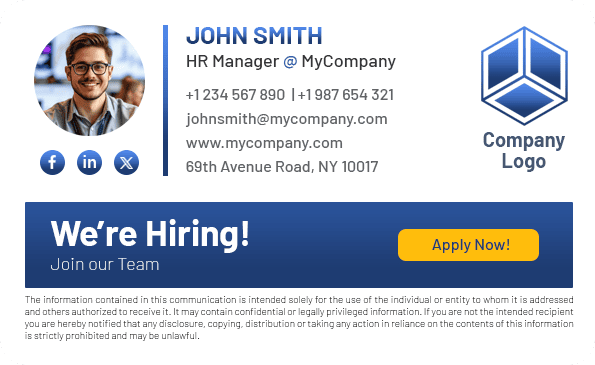
Name, title, team and a direct line. For a shared HR department email signature, use the department name and one agreed contact route.
What an HR Email Signature Should Include
A good HR email signature is short, accurate and easy to act on. These are the elements most HR teams put in the template.
- Name, job title and department, pulled from Microsoft 365 so they stay current.
- A direct contact route, such as a phone number or a shared HR mailbox.
- Company name and logo, plus a careers or employee-portal link where it helps.
- The confidentiality or compliance notice your policy requires.
- Contact details as real text rather than an image, so they stay readable on mobile and with screen readers.
- A hiring banner or campaign link only while it is live, removed when the role is filled or the campaign ends.
Let HR Manage Signatures
Without Waiting on IT
HR teams often know first when a role changes, a campaign starts or a disclaimer needs updating. Sigsync's role-based access control lets an administrator give HR users access to selected templates and rules, so HR can make changes directly while IT manages the tenant-wide setup.

- 1Give HR access only to the HR signatures and rules assigned to them.
- 2Keep company-wide configuration and subscription management with the appropriate administrators.
- 3Apply HR templates to the relevant Microsoft 365 groups from one dashboard.
Who owns what is worth agreeing early. HR keeps employee profile data, such as titles and departments, accurate in the directory. IT owns the connection and tenant setup. Sigsync reads what is in Microsoft 365, so a wrong title in the directory stays wrong in the signature until it is corrected there.
Signatures That Follow Every Employee
From Day One
Sigsync reads employee details from Microsoft 365 and applies templates through group-based rules. Keep directory data, group membership and signature rules up to date as employees join, move or leave.
- New joiners
After setup and synchronization, employees covered by the configured rules receive a company signature with details from their Microsoft 365 profile.
- Department changes
Updated titles and departments appear after synchronization. When group membership changes, the applicable template follows the configured rule conditions and priority.
- Leavers
Remove the user from the relevant group and review other matching rules. Group-based HR signatures stop applying after the membership change is reflected in Sigsync.
- Every device
With server-side mode configured, signatures are added to messages routed through Sigsync after sending, including emails from Outlook desktop, Outlook on the web and mobile.
HR Works With Other Teams

HR rarely handles email branding alone. Sigsync helps HR teams work with other departments to maintain consistent signatures, compliance messages, and campaign communication.
HR Email Signature FAQs
Yes. An administrator can grant HR users Sigsync signature-management access limited to selected signatures and rules. HR can then manage the assigned templates and rules without needing Microsoft 365 administrator access.
Yes. Create separate templates for recruitment, payroll, onboarding and employee relations, and apply each one through rules for the matching Microsoft 365 group.
Yes. Once Sigsync is configured, employee details have synchronized and the employee matches an active signature rule, Sigsync uses their Microsoft 365 profile details in the assigned template. New hires do not need to create their own signature.
After the updated Microsoft 365 details synchronize with Sigsync, the signature can show the new job title and department. Changes to group membership affect the template according to your configured signature rules and their priority.
Yes. Add a hiring banner with a link to your careers page to the recruitment template, and remove or swap it from the dashboard when the role is filled.
Yes. With server-side mode configured, Sigsync adds signatures after sending to messages routed through the service. This includes messages sent from Outlook desktop, Outlook on the web and mobile devices.
Include the sender’s name, job title, department, a direct contact route and the company name. Recruiters can add a careers page link, and payroll or benefits teams may need a confidentiality notice. Keep contact details as real text rather than part of an image so they stay readable on mobile and with screen readers.
In the Sigsync signature editor. Start from a ready-made design, adapt it for recruiters, onboarding or payroll, and apply it to the matching Microsoft 365 group.
HR keeps employee details such as job titles and departments accurate in Microsoft 365. IT looks after the Sigsync connection and tenant setup. Because signatures are filled from the directory, a correction made there flows into the signature after the next synchronization.
Yes, if they have a Microsoft 365 account and belong to a group that a signature rule targets. Create a template for them and apply it to that group, so their signature shows their role without borrowing employee wording.
Keep it short: name, job title, team, a direct contact route and the company name. Add a link to a careers or employee portal if it helps, and the confidentiality notice your policy requires. Because Sigsync fills the details from Microsoft 365, the HR manager’s title and phone number stay current without manual edits.
Build or choose an HR template in Sigsync, then apply it to your HR group in Microsoft 365 with a signature rule. With server-side mode configured, the signature is added after sending, so it appears on messages sent from Outlook desktop, Outlook on the web and mobile without each person editing their settings.
Trusted by Industry Leaders Worldwide

Great Product, Fair Price, and Fantastic Support
Sigsync has been a game changer for managing our Office 365 signatures. The setup was quick, and the interface is so easy that even non-technical staff can make updates without help. The pricing is fair compared to other tools we tried, and the value it offers is incredible...
See all G2 Reviews
Reliable Email Signature Control for a Distributed Project Team
We adopted Sigsync to maintain uniformity and professionalism in our communications across all departments and regions. The setup was straightforward, and support was responsive when we needed help with initial configuration...
See all Capterra Reviews
Impressed by the Control and Flexibility Sigsync Provides
Sigsync has made managing email signatures across our organization incredibly simple. The level of control it offers over layouts, branding, and user groups is impressive. We can easily apply company-wide changes without affecting individual Outlook settings...
See all Microsoft AppSource Reviews
Excellent Tool-Versatile Editor and Smart Signature Management
One of the standout features is the editor – it's highly flexible, with real-time previews and support for images, hyperlinks, social media icons, and more. We've also taken advantage of department-specific targeting, which ensures the team gets the correct signature...
See all SourceForge Reviews
Cost-effective Office 365 signature service with excellent support
Sigsync is the best Office 365 email signature service we have used so far. We were looking for a cost-effective solution to add email signatures throughout the organization but it was expensive to go with the other solutions...
See all SaaShub Reviews
Trusted and Effective, Sigsync is the Signature Solution We Needed
We’ve been using Sigsync Email Signatures for Office 365 for several months now, and the results have been exceptional. As an organization looking for a streamlined and professional approach to email signature management, Sigsync ticked every box...
See all SoftwareSuggest Reviews
Power, Polished, and Reliable-Sigsync Exceeds Expectations
We were struggling to keep our signature consistent across devices until we discovered Sigsync. It automatically adds professional signatures from the cloud-even for mobile emails. The drag-and-drop editor is surprisingly powerful...
See all SoftwareWorld Reviews
Reliable and easy — solved our email signature mess
Sigsync has been a real-time saver for us. Before, managing email signatures across our team was chaotic — different formats, outdated info, inconsistent branding. Since switching to Sigsync, everything is handled centrally, and it just works.
See all Trustpilot Reviews
Sigsync Free Demo Gave Us Full Confidence Before Implementation
The demo experience alone demonstrated how powerful and user-friendly Sigsync is. It eliminated any hesitation about deployment and highlighted the intuitive interface and automated features...
See all Slashdot ReviewsTake Control of HR Email Signatures with Ease
Give your HR team one place to manage every HR email signature, from recruiter to onboarding to payroll. Start a free trial, or request a demo and we will walk you through it.


5000+ Organizations
|Microsoft Approved
|No Credit Card Required

Experience Smarter Email Signatures with a
Free Sigsync Demo
Sigsync email signature service provides effortless, centralized signature management for Office 365 and Exchange.
Our team can assist you in quickly setting up company-wide signatures. Request a free on-demand demo to see
how Sigsync can simplify your email signature management process.