-
- Reseller
-
Products
Tailored Product Demo for Your Exact Needs
Explore how our solution delivers efficiency, control, and scalability.
Request a Demo
-
Solutions
Tailored Product Demo for Your Exact Needs
Explore how our solution delivers efficiency, control, and scalability.
Request a Demo
- Dashboard
- Features
- Pricing
Email Signatures for Sales Teams
in Microsoft 365
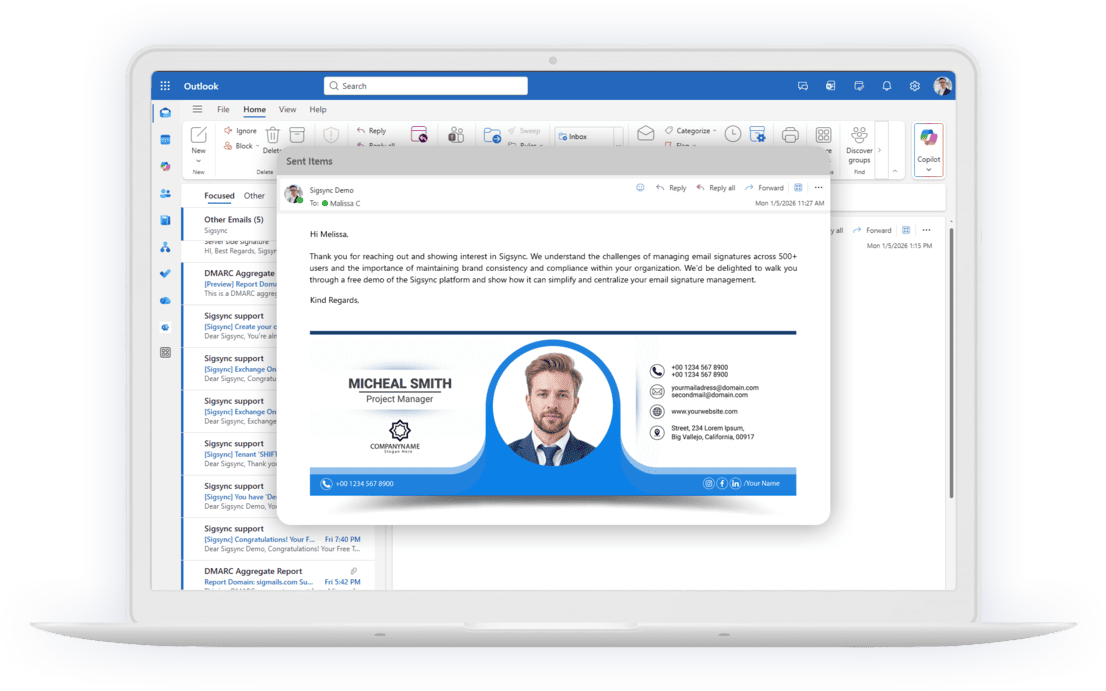
Give every rep a branded Microsoft 365 signature with meeting booking links, scheduled banners and prospect-specific signatures.
- Trusted & Certified
150M+
Signatures Delivered Monthly
99.99%
Service Availability
150+
Countries Served
5000+
Organizations Trust Sigsync
Turn Every Email into a Sales
Opportunity
Give your sales team professional email signatures with clear contact
details, meeting links and relevant offers.
Manage templates centrally and measure
campaign
traffic through your web analytics tools.
What a Sales Email Signature Does for Your Pipeline
Your sales reps email prospects and customers every day. With Sigsync, those emails can carry a branded email signature with the rep's details, a meeting link and your latest offer, managed centrally in Microsoft 365.
Why Sales Teams Choose Sigsync
- One sales email signature standard for every rep, managed centrally
- Meeting booking links for Calendly and Microsoft Bookings, plus links to Teams meetings
- Scheduled and rotating banners for launches, events and offers
- Separate signatures for prospects, customers and internal emails through configured rules
- Rep details and photos filled in from Microsoft 365
- Campaign traffic attribution through UTM links in Google Analytics
- Signatures on replies, forwards and mobile emails
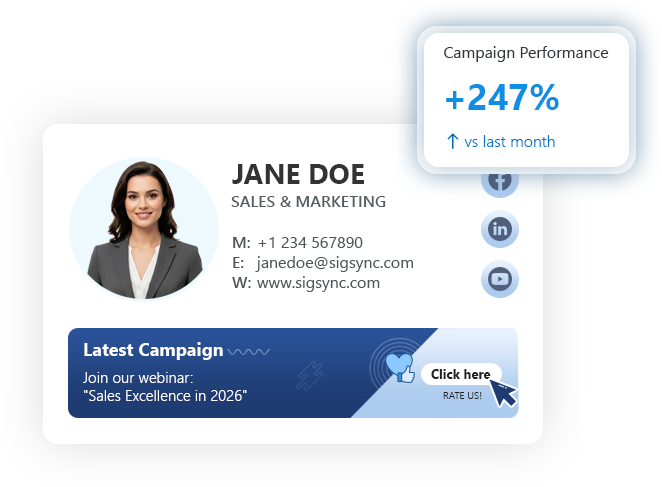
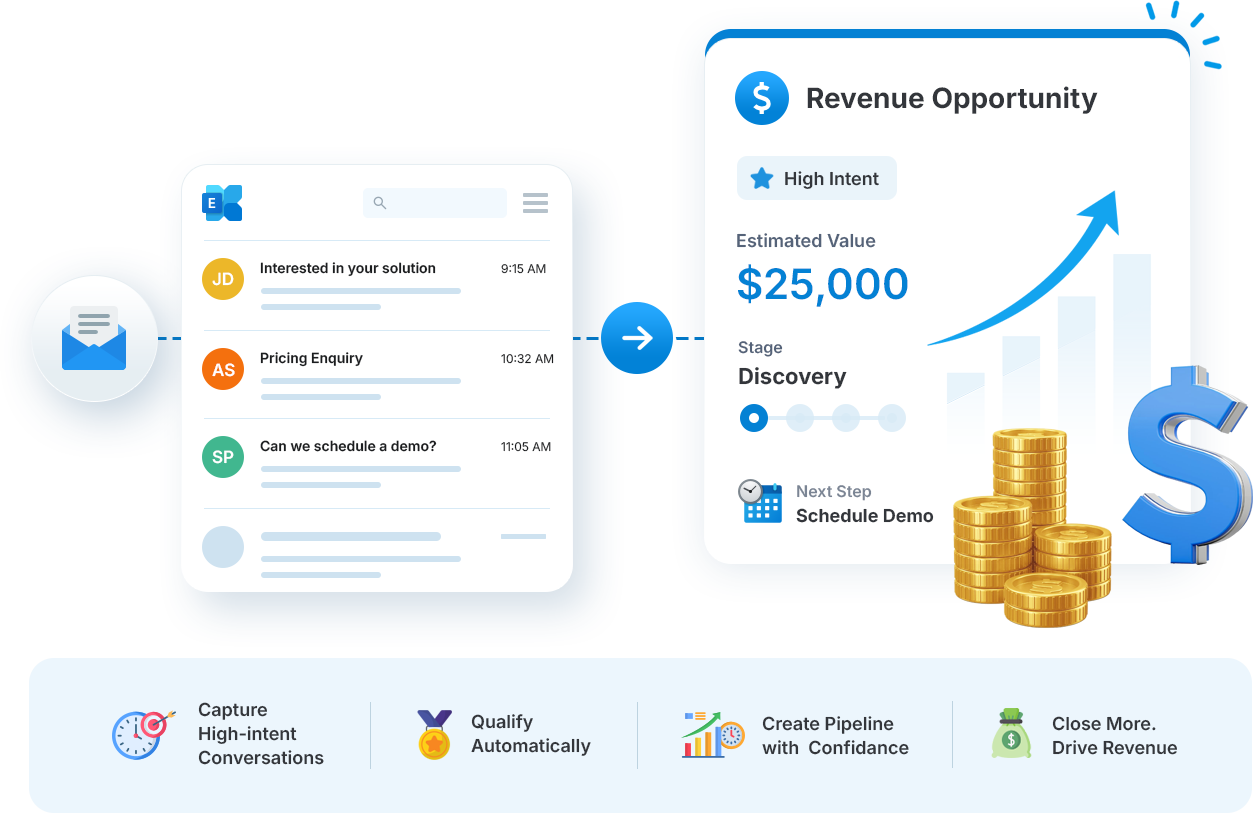
Turn Sales Emails Into Opportunities for Action
Give prospects a clear next step in each sales conversation. Use your signature to share a relevant offer, invite a meeting or direct customers to a useful resource.

Everything You Need in a Sales Team Email
Signature
Build consistent signatures that help prospects contact the right rep and take the next step.

Professional Sales Email Signatures
Give every rep a polished, on-brand sales email signature with their photo, direct number and social links, built from an approved template.

Consistent Branding Across Every Rep
Keep sales emails on brand. Update shared logos and offers centrally, and apply changes to the reps covered by the relevant template and rules.

Scheduled Sales Banner Campaigns
Schedule banners for product launches, webinars or quarter-end offers in your local time zone, and use banner rotation to vary offers during a campaign.

Meeting Booking Links
Add a “Book a meeting” button linked to Calendly or Microsoft Bookings so prospects can choose an available time. You can also include a Microsoft Teams meeting link.
Join organizations that manage their email signatures with Sigsync
 5000+ organizations
Accurate Contact Details in Every Sales Email
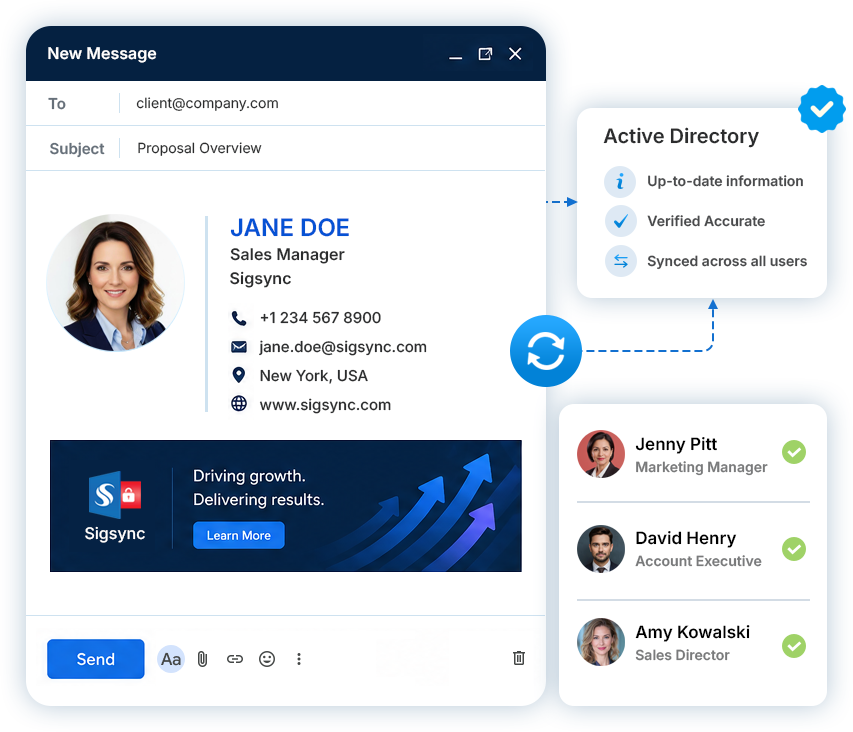
Sigsync uses each rep's name, job title, phone number and photo from Microsoft 365 and Microsoft Entra ID (formerly Azure AD). After directory changes synchronize, signature details update without reps editing them individually.
- Always up-to-date
Personal information, job titles and contact details from your directory.
- Consistent across users
Unified information and branding
for every email. - Professional on every device
Build trust with correct and
reliable information. - Reduce manual work
Reduce individual signature updates and manual entry errors.
What Should a Sales Email Signature Include?
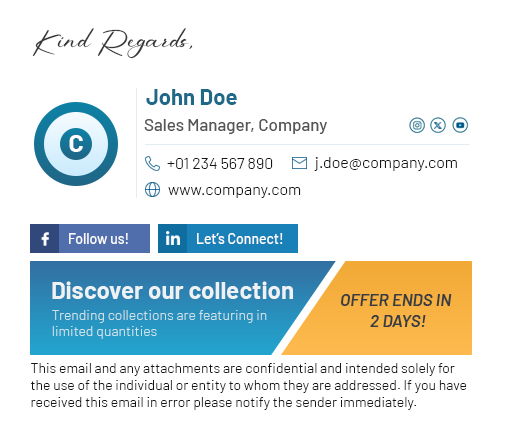
A professional sales email signature should make the rep easy to identify, provide accurate contact details and give prospects a clear next step.

Rep Contact Details
Show the rep's name, role, phone number and other approved contact information.

Professional Photo
Use a consistent rep photo with an approved company or professional profile where appropriate.

Meeting Booking
Give prospects a direct booking option for demos, consultations or follow-up calls.

Primary Call to Action
Guide recipients to one relevant next step such as a product page, case study or webinar.

Campaign Banner
Display a controlled promotional banner when the campaign message is relevant to the recipient.

Social or Profile Links
Include approved links that help prospects learn more about the representative or company.
How Sales Teams Use
Sigsync Email Signatures
Centralized signature creation
Admins create branded, professional email signatures for the sales team in Sigsync.
Assign to sales team
Admins assign signatures to the relevant individuals or groups in Microsoft 365.
Sync details from Microsoft 365
Sigsync uses synchronized employee details and applies signatures according to the configured rules and signature mode.
Sales team sends emails
Sales reps send emails with consistent, branded signatures in Outlook.
Promote campaigns & drive engagement
Use banners in signature to promote webinars, products, or events and drive engagement.
Sales Signature Features for
Every Conversation
Give sales teams the right signature content for meetings, prospect conversations, campaigns and customer follow-up while keeping management centralized.
Let Prospects Book Meetings From Your Signature
Make it easy for a prospect to arrange a call while reading your email. Add a meeting button linked to Calendly, Microsoft Bookings or Bookings with me. You can also add a Microsoft Teams meeting link for an arranged call.
- Use the booking service that fits your sales workflow.
- Configure each rep’s signature with their own booking URL.
- Let prospects choose an available time without another round of emails.
Different Signatures for Prospects, Customers and Colleagues
A prospect may need an offer and a meeting link, while a colleague needs only your contact details. Sigsync rules can apply signatures based on the sender, recipient or keywords. Configure the conditions and rule priority to match your audience.
- Use a full signature and relevant banner for external prospects and customers.
- Keep internal signatures brief.
- Set a shorter signature for replies and forwards to keep long sales threads readable.
Measure Sales Signature Campaigns
Add UTM parameters to banner and button links to identify signature-driven visits in Google Analytics or a compatible web analytics tool. With tracking configured on the destination website, compare campaign traffic to demo, pricing and product pages. Measuring demo requests also requires the relevant event tracking.
For broader campaign planning, explore email signature marketing.
Collect Customer Feedback From Every Sales Email
Add a one-click satisfaction survey to account manager and customer success signatures using a supported CSAT survey service. Customers can select a rating from the email, and your team can review responses through the connected provider to identify service issues and follow up.
Sales Runs Campaigns, IT Keeps Control
After IT configures Sigsync, authorized sales and marketing managers can update their assigned templates, banners and rules. Role-based access can be limited to selected signatures and rules, while the appropriate administrators retain tenant-wide configuration and subscription responsibilities.
Secure Email Signature Management for Sales Teams
Sigsync uses OAuth 2.0 authentication and TLS-encrypted mail flow. Its security documentation describes an independent SOC 2 Type II audit and safeguards supporting GDPR and HIPAA requirements. Access controls help restrict signature changes to authorized users.
Sales Email Signature FAQs
Yes. Add a button or image linked to Calendly, Microsoft Bookings or Bookings with me, and configure the correct booking URL for each rep. See the meeting scheduling options supported by Sigsync. You can also include a Microsoft Teams meeting link for an arranged call.
Yes. Sigsync signature rules can apply signatures based on sender, recipient or keywords. Configure a full signature with a banner and meeting link for external prospects, and a shorter signature for internal emails.
Yes. Use the signature scheduler to apply campaign signatures daily, weekly or monthly in your local time zone. Enable the scheduler and configure matching rule conditions. Banner rotation can vary the banners used during a campaign.
Add UTM parameters to banner and button links, then use Google Analytics or a compatible tool on the destination website to attribute resulting visits to your campaigns. Tracking demo requests requires the relevant events to be configured in your analytics tool.
Yes. Once setup is complete, employee details have synchronized and the rep matches an active signature rule, Sigsync can apply a branded signature using their Microsoft 365 details. Reps do not need to create their own signatures.
Yes. Sigsync supports email signatures for new emails, replies, forwards, and messages sent from mobile devices. Mobile signatures are supported with Server-side, Client-side, and Centralized (Combo) modes, depending on the configured signature deployment. Administrators can also configure different signatures for new messages and replies or forwards. See how Sigsync supports email signatures on Outlook mobile.
Trusted by Industry Leaders Worldwide

Great Product, Fair Price, and Fantastic Support
Sigsync has been a game changer for managing our Office 365 signatures. The setup was quick, and the interface is so easy that even non-technical staff can make updates without help. The pricing is fair compared to other tools we tried, and the value it offers is incredible...
See all G2 Reviews
Reliable Email Signature Control for a Distributed Project Team
We adopted Sigsync to maintain uniformity and professionalism in our communications across all departments and regions. The setup was straightforward, and support was responsive when we needed help with initial configuration...
See all Capterra Reviews
Impressed by the Control and Flexibility Sigsync Provides
Sigsync has made managing email signatures across our organization incredibly simple. The level of control it offers over layouts, branding, and user groups is impressive. We can easily apply company-wide changes without affecting individual Outlook settings...
See all Microsoft AppSource Reviews
Excellent Tool-Versatile Editor and Smart Signature Management
One of the standout features is the editor – it's highly flexible, with real-time previews and support for images, hyperlinks, social media icons, and more. We've also taken advantage of department-specific targeting, which ensures the team gets the correct signature...
See all SourceForge Reviews
Cost-effective Office 365 signature service with excellent support
Sigsync is the best Office 365 email signature service we have used so far. We were looking for a cost-effective solution to add email signatures throughout the organization but it was expensive to go with the other solutions...
See all SaaShub Reviews
Trusted and Effective, Sigsync is the Signature Solution We Needed
We’ve been using Sigsync Email Signatures for Office 365 for several months now, and the results have been exceptional. As an organization looking for a streamlined and professional approach to email signature management, Sigsync ticked every box...
See all SoftwareSuggest Reviews
Power, Polished, and Reliable-Sigsync Exceeds Expectations
We were struggling to keep our signature consistent across devices until we discovered Sigsync. It automatically adds professional signatures from the cloud-even for mobile emails. The drag-and-drop editor is surprisingly powerful...
See all SoftwareWorld Reviews
Reliable and easy — solved our email signature mess
Sigsync has been a real-time saver for us. Before, managing email signatures across our team was chaotic — different formats, outdated info, inconsistent branding. Since switching to Sigsync, everything is handled centrally, and it just works.
See all Trustpilot Reviews
Sigsync Free Demo Gave Us Full Confidence Before Implementation
The demo experience alone demonstrated how powerful and user-friendly Sigsync is. It eliminated any hesitation about deployment and highlighted the intuitive interface and automated features...
See all Slashdot ReviewsTake Control of Enterprise Email Signatures with Ease
Get started with Sigsync today and free your IT department from repetitive signature management tasks.


5000+ Organization
|Microsoft Approved
|No Credit Card Required


Experience Smarter Email Signatures with a
Free Sigsync Demo
Sigsync email signature service provides effortless, centralized signature management for Office 365 and Exchange.
Our team can assist you in quickly setting up company-wide signatures. Request a free on-demand demo to see
how Sigsync can simplify your email signature management process.