CEO
A clean CEO email signature with a professional photo, title and LinkedIn link reflects company leadership. Apply approved server-side disclaimers centrally.

Explore how our solution delivers efficiency, control, and scalability.
Request a Demo
Explore how our solution delivers efficiency, control, and scalability.
Request a Demo
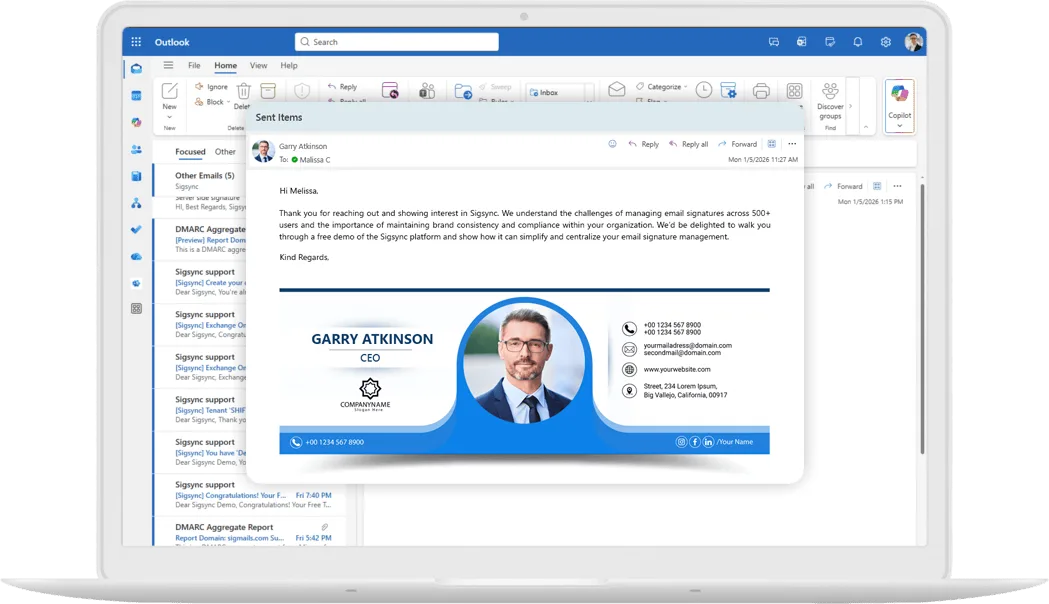
Give every leader a polished, consistent executive email signature with accurate contact details and centrally managed branding.
150M+
Signatures Delivered Monthly
99.99%
Service Availability
150+
Countries Served
5000+
Organizations Trust Sigsync

Create a consistent executive identity for CEOs, CFOs, CIOs and the wider leadership team, with approved layouts, photos and titles.

Automatically add approved legal disclaimers to executive emails. In server mode, ordinary senders cannot edit the disclaimer applied after sending.

Promote investor updates, events and corporate initiatives when appropriate, and keep executive signatures free of promotional banners the rest of the time.

Keep executive branding consistent across offices and regions, with the appropriate address and phone number for each location.

Manage executive signatures from the same dashboard as the rest of the company. Server mode requires no signature setup on executives’ devices.

Add a LinkedIn link or meeting booking button so recipients can connect with leadership or arrange time through an executive assistant.

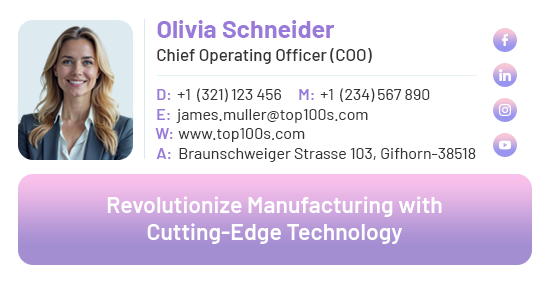



A clean CEO email signature with a professional photo, title and LinkedIn link reflects company leadership. Apply approved server-side disclaimers centrally.
Use the same executive branding across offices and regions, with the right address and contact details for each location.
Manage signatures centrally in Microsoft 365 with security controls for IT to review. Server mode requires no add-in on executive devices.
Use finance-approved disclaimers and a consistent, professional signature for correspondence with investors, auditors and banks.
Use executive emails to share product launches, company announcements, investor updates and key events. Schedule a banner for the campaign period and remove it when the campaign ends.
Apply approved templates and disclaimers to leadership emails. Account owners and authorized admins manage templates and rules, with administrative actions recorded in the Activity Log.
Manage executive signatures alongside other teams from one dashboard. Names, titles, phone numbers and photos can come from Microsoft 365. Keep directory information current so signatures reflect the right details.
Sigsync reports an independent SOC 2 Type 2 audit and is certified for ISO/IEC 27001. Messages pass through the service to add signatures; email content is not retained or read by personnel. Sign-in uses OAuth 2.0 with MFA support.
Executives send from phones, tablets and laptops while traveling. Server-side signatures are added after sending to messages routed through Sigsync, without requiring per-device signature setup.
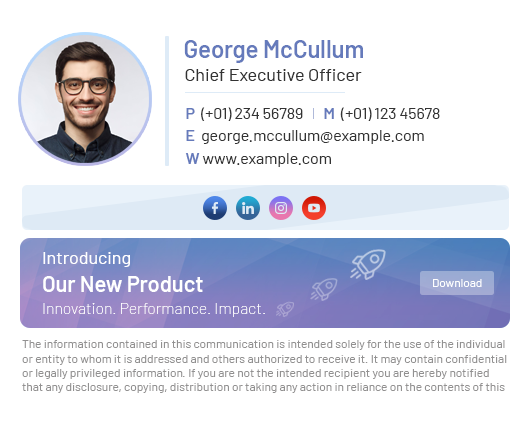
The signature depends on the mailbox and sending permission used. Configure delegate access and signature rules so the intended identity appears.
When an assistant sends as the executive, Sigsync applies the executive’s signature.
When an assistant sends on behalf of the executive, Sigsync applies the assistant’s own signature.
Configure an approved signature and mailbox details for the Office of the CEO or Investor Relations inbox.
For Send As, admins can enable the Outlook add-in setting that displays a signature based on the selected From address. Test delegated and shared-mailbox messages with the clients your assistants use.
Configure Send As and Send on Behalf signatures Set up shared mailbox signatures
Give leadership its own template with a professional photo, title, direct contact details and a LinkedIn link. Decide centrally when a banner is appropriate, without asking executives to design or maintain their signatures.
Use Microsoft 365 profile photos and current directory details.
Add LinkedIn and meeting booking links for Calendly, Microsoft Bookings or Teams as appropriate.
Include banners for selected investor updates or major launches, with a minimal layout at other times.
Apply approved server-side wording after sending. Template and rule changes remain with authorized account owners and admins.
Yes. Create a separate executive template and apply it to a leadership group in Microsoft 365. You can leave out campaign banners, or show them only on selected emails, while the rest of the company runs full campaigns.
With Send As, Sigsync applies the executive’s signature. With Send on Behalf, it applies the assistant’s own signature. For Send As in the Outlook add-in, admins can enable the setting to display signatures based on the selected From address.
Yes. Configure a signature for the shared mailbox, populate the required mailbox profile details, and set the appropriate delegate permissions and signature rules. Test the resulting signature in the email clients your team uses.
Yes. Sigsync can pull profile photos and details such as name and job title from Microsoft 365, and you can add a LinkedIn or other social link to the executive template.
With server-side signatures, ordinary senders cannot edit the disclaimer added after sending from their composing window. Only account owners and authorized admins can change centrally managed templates or rules.
Yes. Server-side signatures are added after sending to messages routed through Sigsync, including messages sent from phones, tablets and Outlook on the web. No per-device signature setup is required for server mode.
Leaders are busy, and signatures drift when each person edits their own: titles go stale, photos differ and the disclaimer is missing on mobile. A central executive template keeps details and branding consistent, applies the approved disclaimer after sending in server mode, and lets admins decide when a banner appears.

Sigsync has been a game changer for managing our Office 365 signatures. The setup was quick, and the interface is so easy that even non-technical staff can make updates without help. The pricing is fair compared to other tools we tried, and the value it offers is incredible...
See all G2 Reviews
We adopted Sigsync to maintain uniformity and professionalism in our communications across all departments and regions. The setup was straightforward, and support was responsive when we needed help with initial configuration...
See all Capterra Reviews
Sigsync has made managing email signatures across our organization incredibly simple. The level of control it offers over layouts, branding, and user groups is impressive. We can easily apply company-wide changes without affecting individual Outlook settings...
See all Microsoft AppSource Reviews
One of the standout features is the editor – it's highly flexible, with real-time previews and support for images, hyperlinks, social media icons, and more. We've also taken advantage of department-specific targeting, which ensures the team gets the correct signature...
See all SourceForge Reviews
Sigsync is the best Office 365 email signature service we have used so far. We were looking for a cost-effective solution to add email signatures throughout the organization but it was expensive to go with the other solutions...
See all SaaShub Reviews
We’ve been using Sigsync Email Signatures for Office 365 for several months now, and the results have been exceptional. As an organization looking for a streamlined and professional approach to email signature management, Sigsync ticked every box...
See all SoftwareSuggest Reviews
We were struggling to keep our signature consistent across devices until we discovered Sigsync. It automatically adds professional signatures from the cloud-even for mobile emails. The drag-and-drop editor is surprisingly powerful...
See all SoftwareWorld Reviews
Sigsync has been a real-time saver for us. Before, managing email signatures across our team was chaotic — different formats, outdated info, inconsistent branding. Since switching to Sigsync, everything is handled centrally, and it just works.
See all Trustpilot Reviews
The demo experience alone demonstrated how powerful and user-friendly Sigsync is. It eliminated any hesitation about deployment and highlighted the intuitive interface and automated features...
See all Slashdot ReviewsGive leadership consistent signatures and approved disclaimers from one dashboard. Start a free trial or request a personalized demo.

 4.8 on G2
5000+ Organization
|Microsoft Approved
|No Credit Card Required

Experience Smarter Email Signatures with a
Free Sigsync Demo
Sigsync email signature service provides effortless, centralized signature management for Office 365 and Exchange.
Our team can assist you in quickly setting up company-wide signatures. Request a free on-demand demo to see
how Sigsync can simplify your email signature management process.


Hi, May I help you?
Hide Chat Now

