-
- Reseller
-
Products
Tailored Product Demo for Your Exact Needs
Explore how our solution delivers efficiency, control, and scalability.
Request a Demo
-
Solutions
Tailored Product Demo for Your Exact Needs
Explore how our solution delivers efficiency, control, and scalability.
Request a Demo
- Dashboard
- Features
- Pricing
Sigsync Email Signature Features
Sigsync makes email signature management simple. Create consistent signatures across all devices, ensure brand consistency, maintain compliance with disclaimers, promote your business with banners and build long lasting relationships with your customers and partners.

Rotate Promotional Banners in Every Email Signature
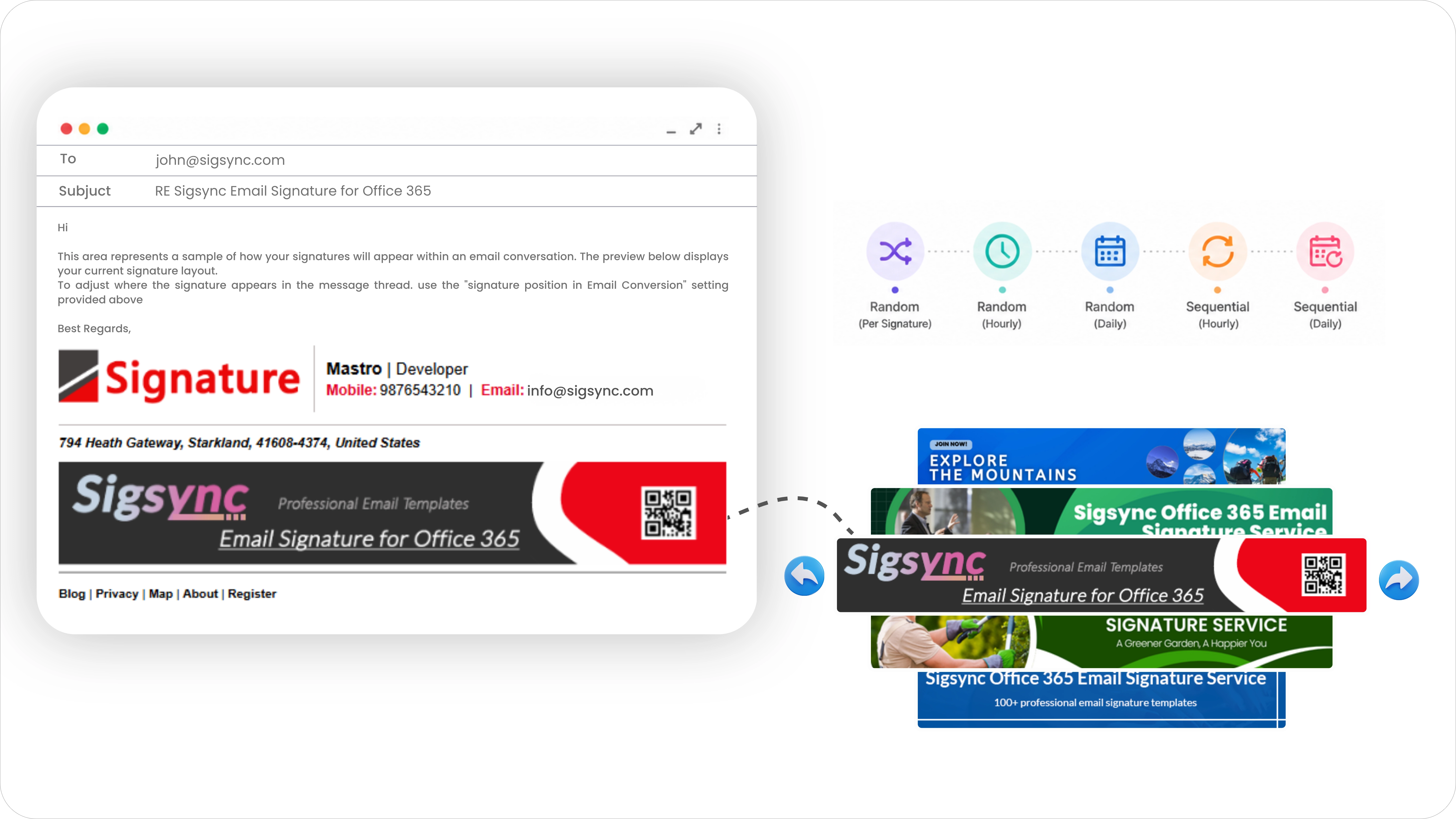
Every employee sends dozens of emails a day, and each one is a small, free advertising slot that most companies waste on a banner nobody looks at anymore. The first time someone sees a promotional banner in an email signature, it registers. The fifteenth time, it's invisible. Sigsync Microsoft 365 Email Signature Software turns that wasted space back into something worth looking at, letting you upload multiple banner images into a single signature slot and have them rotate automatically, instead of locking every email to one static image.
Run more than one campaign without more work
Most marketing teams aren't promoting just one thing at a time. There's a product launch this month, a webinar next week, and a seasonal offer running in the background. Rotation means all of it can run at once instead of competing for the same static space. Upload every banner into a single slot, and Sigsync handles the display logic from there, switching between them, retiring old campaigns, and bringing new ones into view without anyone rebuilding the signature template or filing an IT ticket every time a promotion changes.
Choose the pace, not just the content
Different campaigns call for different rhythms. A short-term push might work best changing with every single email sent, so no two recipients in a short window see the exact same banner. A steadier brand campaign might do better holding one image in place for a stretch of time before moving to the next, giving each one room to be noticed. Sigsync gives you that choice with a handful of rotation styles to pick from, ranging from a fresh random banner on every send to a steady, evenly-paced rotation through your full set on an hourly or daily basis. Whichever pace fits the campaign, it's a setting you choose once, not something you manage day to day. (Full breakdown of every rotation option and how to configure it: see the User Manual
Why teams use it
- Promote several products, events, or announcements through one signature instead of maintaining separate versions for each.
- Keep the same audience seeing new content over time rather than the same static image on every email.
- Launch, retire, or swap in a new promotion the moment it's needed, without editing anyone's signature by hand.
- Let a seasonal push or a time-sensitive announcement take over instantly, then step back once it's no longer relevant.
- Give each active campaign its own fair share of visibility, instead of one banner crowding out everything else.
- See which promotional content actually performs, since different messages reach the same audience under comparable conditions.
Every banner still works as a real marketing asset
A rotating banner isn't just decoration. Each image in the rotation can carry its own hyperlink, so whichever banner happens to display, clicking it sends the recipient somewhere specific, a product page, a registration form, a landing page built for that exact offer. Rotation doesn't dilute your calls to action, it multiplies them. Instead of one campaign getting all the attention, several campaigns each get their own fully functional entry point, and you can track which ones are actually pulling clicks.
No extra effort for the people sending the email
None of this changes anything from an employee's side. The rotation happens automatically once it's configured, so nobody sending a normal email needs to think about which banner is showing or switch anything manually. It's a marketing lever IT sets up once and marketing keeps using indefinitely, without ever touching a mailbox or asking for a template rebuild.
Ready to set this up? See the step-by-step configuration guide in our User Manual