
HubSpot Email Signature Integration with Sigsync
Sigsync Microsoft 365 email signature software integrates with HubSpot to help businesses display different email signatures and promotional banners based on their HubSpot contact lists. You can use your existing HubSpot lists to show relevant signatures, product offers, or promotional banners to different customer groups without manually changing email signatures. The HubSpot integration is included with Sigsync at no extra charge.
For example, you can display a product promotion to potential customers, support information to existing customers, and event announcements to selected contacts. Sigsync automatically applies the assigned email signature or banner based on the recipient's HubSpot contact list and your configured signature rules, while keeping your company branding consistent.
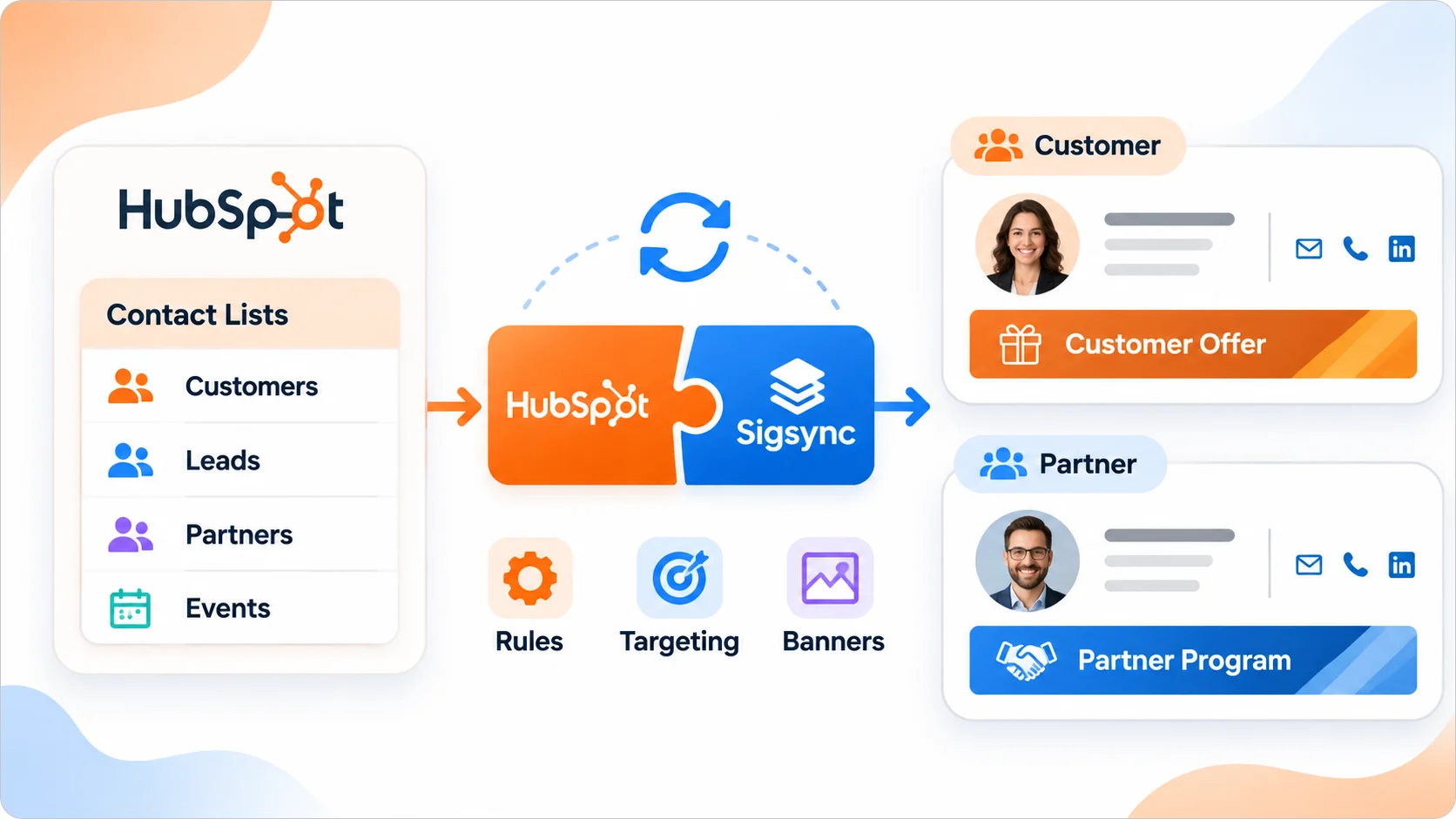
Use your existing HubSpot contact lists in email signature rules
HubSpot contact lists help teams organize people for sales, marketing, and customer communication. Sigsync makes those lists available under the recipient conditions of a signature rule. You can continue managing contact membership in HubSpot and manage the signature design, banner, and rule priority in Sigsync.
- Reuse existing lists: Select HubSpot contact lists without creating the same recipient groups again in Sigsync.
- Target relevant content: Assign different signature templates or banners to rules for particular recipient lists.
- Manage signatures centrally: Update employee information, logos, links, and banners from Sigsync rather than relying on individual employees to edit signatures.
- Keep changes manageable: Update a HubSpot list or a Sigsync template independently without rebuilding both.
Display suitable messages for different customer groups
A standard company signature should identify the sender clearly. The space below it can also help recipients find information relevant to their relationship with your business. Using HubSpot contact lists, you can choose which message to display for each group.
Potential customers
Include a product overview, demo booking link, or introductory offer when following up with contacts evaluating your services.
Existing customers
Display a knowledge-base article, training session, support link, or new feature announcement instead of another introductory sales offer.
Event contacts
Share webinar registration details, an event reminder, or a useful follow-up resource with contacts in a relevant event list.
These examples use the HubSpot contact lists your team already maintains, so there is nothing extra to build in Sigsync.
Use email signature banners for targeted campaigns
Promotional banners are useful when they provide an appropriate next step in an ongoing email conversation. With HubSpot-based recipient rules, marketing teams can associate different signature templates with selected audiences rather than show the same campaign to every recipient.
- Product launches: Direct interested contacts to a relevant product or feature announcement.
- Webinars and events: Share registration links with contacts who are likely to find the event useful.
- Customer communication: Highlight training sessions, help resources, or service updates to existing customers.
The main signature can retain the sender's name, job title, contact details, and company branding while the banner changes for the matched audience. Marketing teams can update templates centrally and schedule signature campaigns for set dates. Sigsync also supports rotating promotional banners when multiple banner messages are needed within a signature template.
How HubSpot recipient targeting works in Sigsync
The connection has two roles: HubSpot maintains the contact lists, and Sigsync controls the email signatures. After connecting HubSpot, open a signature rule in Sigsync, go to Recipients, select HubSpot, and choose the required contact list. Assign the signature template that should appear when the rule matches.
When a recipient belongs to multiple lists: If more than one signature rule matches, Sigsync applies the signature assigned to the highest-priority matching rule. You can set the required rule order to control which message takes precedence.
The HubSpot signature rule configuration guide explains the exact dashboard steps.
Keep recipient targeting aligned with HubSpot contact changes
Contact lists change as new people are added, existing contacts move into another audience, or old contacts are removed. When you update a list in HubSpot, use Sync Lists in Sigsync to refresh the information used by your recipient conditions. Existing signature templates do not need to be recreated simply because list membership changes.
Before enabling a new targeted campaign for a larger audience, test the signature and rules with one recipient inside the selected list and one outside it. This confirms that the banner and rule priority work the way you planned.
Apply Sigsync signatures to emails sent from HubSpot
Sigsync also adds signatures to emails sent from HubSpot when the sender uses a Microsoft 365 email account connected to the Sigsync tenant. Connect that Microsoft 365 account to HubSpot and select the connected address as the sender. Sigsync then applies the signature based on your configured rules.
This works alongside the contact list connection. The HubSpot integration supplies the recipient lists for targeting, and connecting the Microsoft 365 email account to HubSpot lets emails sent through that account follow the same Sigsync signature configuration.
Get started with HubSpot integration
HubSpot integration is configured in Sigsync without rebuilding the contact lists you already use. The basic process is:
- Connect your HubSpot account from the Sigsync Integrations section and approve the requested permissions.
- Choose the HubSpot contact list under Recipients in the signature rule you want to use.
- Assign the signature template and test the result using recipients who do and do not belong to the selected list.
For screenshots, account authorization, list synchronization, and all configuration steps, follow the HubSpot Integration with Sigsync setup guide.
Frequently Asked Questions
Personalize email signatures with HubSpot and Sigsync
Use your existing HubSpot contact lists to display relevant signatures and banners while managing branding and signature rules from one place. HubSpot integration is included with Sigsync at no extra charge.