
-
- Reseller
-
Products
Tailored Product Demo for Your Exact Needs
Explore how our solution delivers efficiency, control, and scalability.
Request a Demo
-
Solutions
Tailored Product Demo for Your Exact Needs
Explore how our solution delivers efficiency, control, and scalability.
Request a Demo
- Dashboard
- Features
- Pricing
Add Admin to Manage Sigsync Signatures
Sigsync Office 365 Email Signature Management Software allows the Sigsync Dashboard Owner to assign the Admin (Sigsync Dashboard Admin) role to selected users as required. Admins can centrally manage email signature operations and administrative settings across all tenants connected to the Sigsync dashboard, based on the access permissions granted to them.
This role enables controlled delegation of responsibilities, giving administrators the ability to manage signatures, templates, rules, tenant configurations, and subscriptions while maintaining security through defined access rights and optional multi-factor authentication.
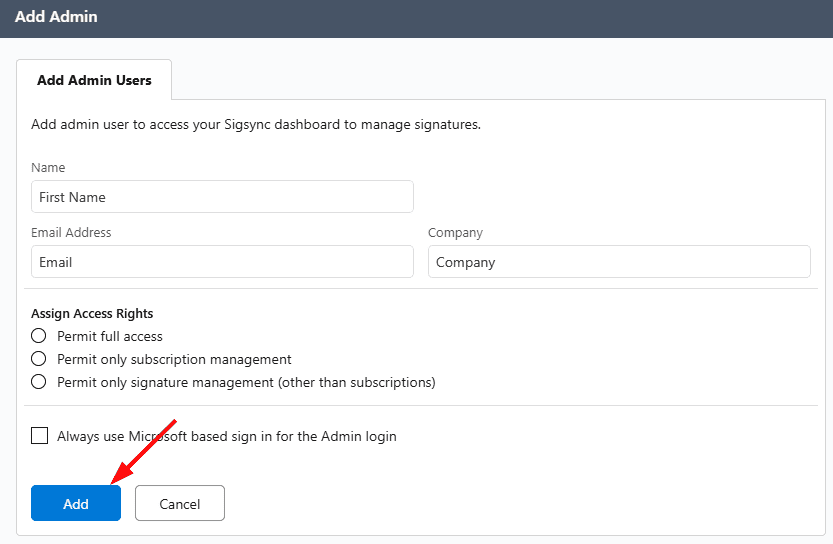
Admin Access Permissions
Sigsync provides three access permission levels for Admins. You can assign the appropriate level based on the user’s responsibilities.
Full Access
Provides complete access to the Sigsync dashboard, including:
- Email signature configuration and management
- Signature template creation and updates
- Signature rules and settings
- Tenant-level configuration and management
- Subscription and billing management
This role is recommended for primary administrators.
Only Subscription Management
Allows access limited to:
- Subscription details
- Billing information
- Payment and renewal management
Users with this role cannot access signature configuration, templates, or rules.
Only Signature Management (Other Than Subscriptions)
Allows access to:
- Email signature configuration
- Signature templates and updates
- Signature rules and settings
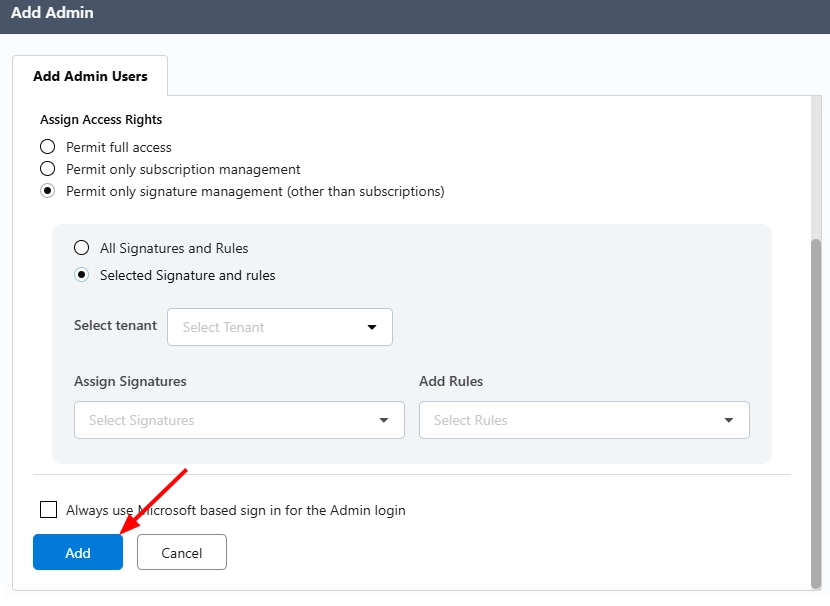
When this option is selected, the Admin's access can be further scoped to one of the following:
- All Signatures and Rules — the admin can manage every signature and rule across the connected tenants.
- Selected Signature and Rules — the admin's access is limited to specific signatures and rules.
Users with this role cannot view or modify subscription or billing details.
Microsoft-Based Sign-In
Sigsync provides an optional security setting to enforce Microsoft-based authentication for Global Admins.
When the ‘Always use Microsoft-based sign-in’ option is enabled for Admin:
- The admin will be prompted to sign in using Microsoft authentication during their next login
- If the admin uses a Microsoft account, they will be redirected to the Microsoft sign-in page
- If the admin does not use a Microsoft account, they have to authenticate using the Microsoft Authenticator app by adding their account and entering the time-based one-time password (TOTP)
This setting enhances account security without restricting Global Admin access to Microsoft-only accounts.
See the steps to Set up Multi-Factor Authentication for Sigsync sign-in
Steps to Add Admin
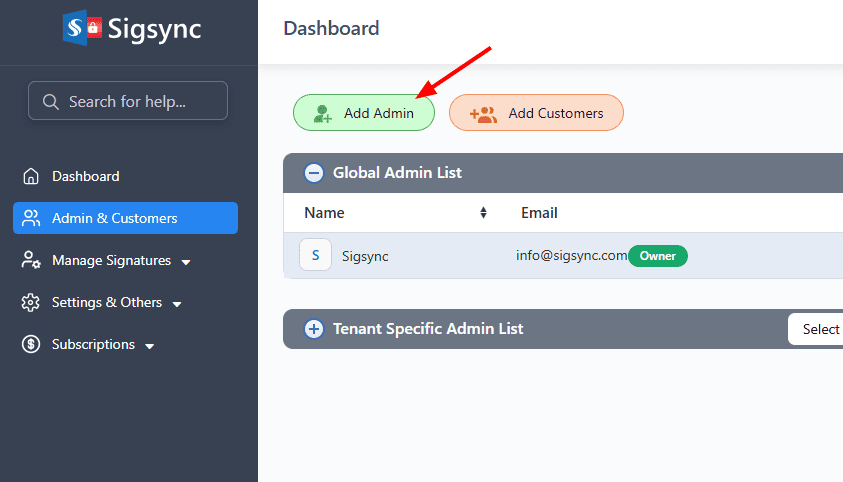
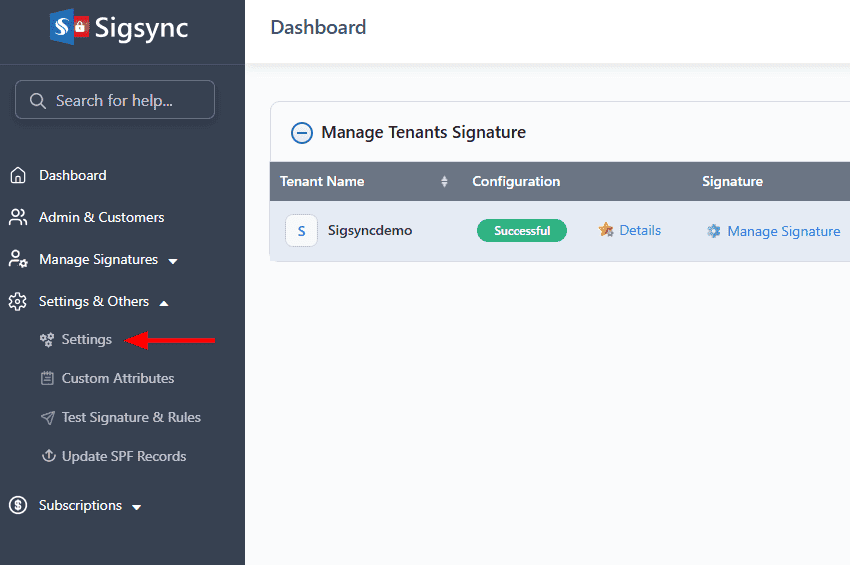
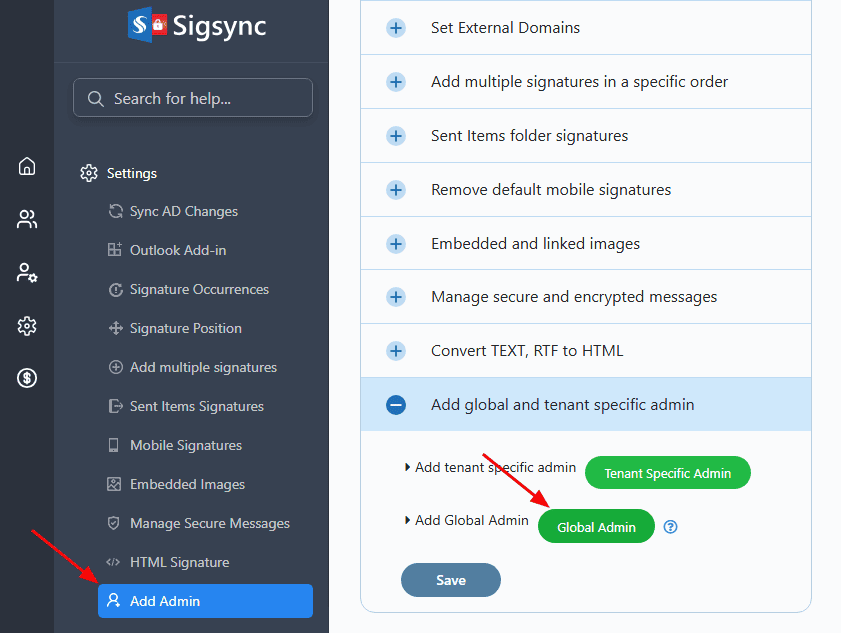
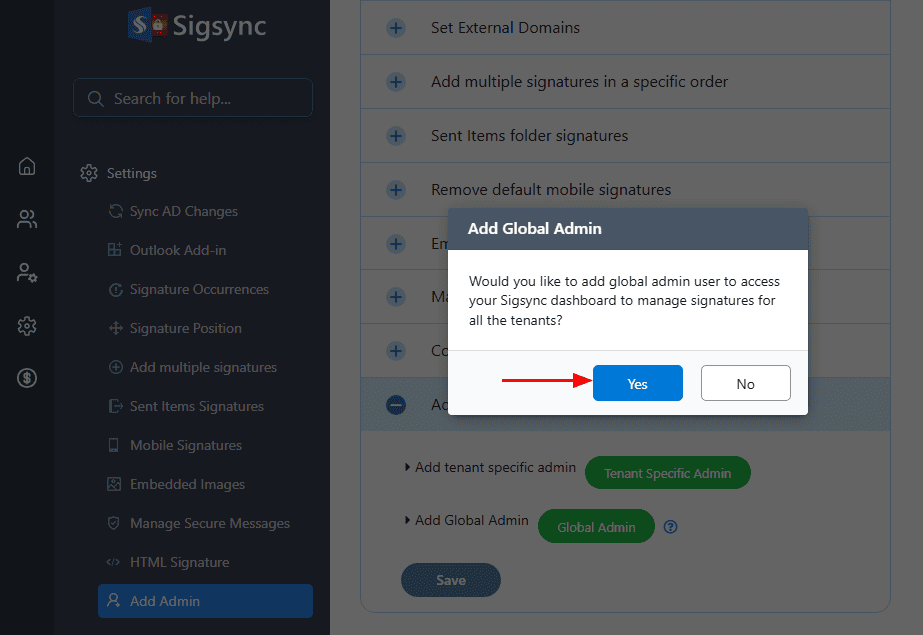
Sigsync Dashboard Owner can add Admin using either of the following methods. Both methods allow you to assign appropriate access permissions and complete the Admin setup. Select a method below to view the step-by-step instructions.
- Method 1: Adding a Global Admin from the Dashboard
- Method 2: Adding a Global Admin from Settings

Useful Links:
In this manual

