
-
- Reseller
-
Products
Tailored Product Demo for Your Exact Needs
Explore how our solution delivers efficiency, control, and scalability.
Request a Demo
-
Solutions
Tailored Product Demo for Your Exact Needs
Explore how our solution delivers efficiency, control, and scalability.
Request a Demo
- Dashboard
- Features
- Pricing
Signature at the Very Bottom
The Signature at the very bottom option places the email signature at the bottom of an email chain. For example, in conversations with internal colleagues, a single email signature can be added at the end of the entire email conversation instead of inserting the signature every time in the current email body.
How it works
When this option is enabled, Sigsync adds the email signature only once at the bottom of the email chain.
- The signature is not inserted below the latest reply.
- The signature is not repeated for each reply in the conversation.
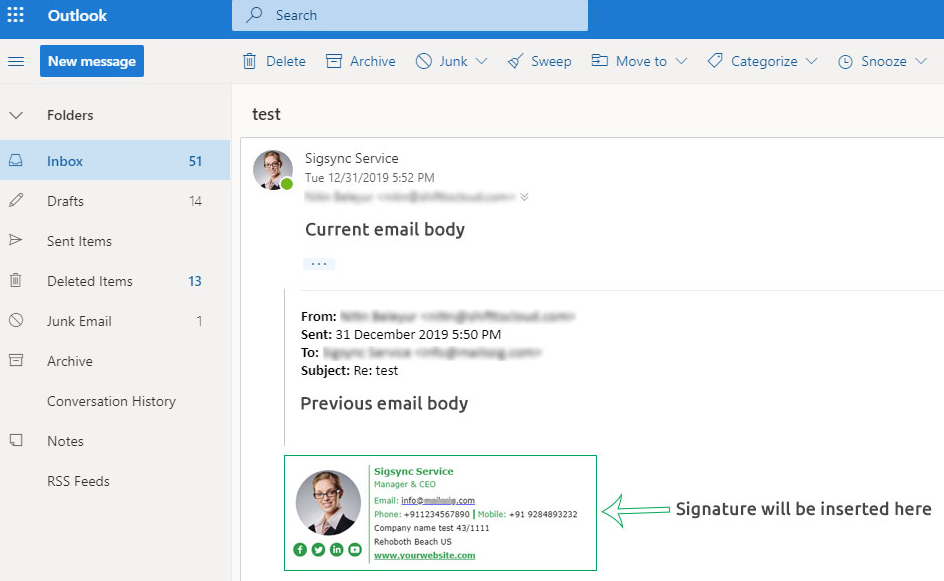
- The signature appears after the entire email body, including all previous email content.
This option is mainly used to avoid repeated signatures in long email threads.
Steps to enable Signature at the very bottom
- Login to the Sigsync dashboard.
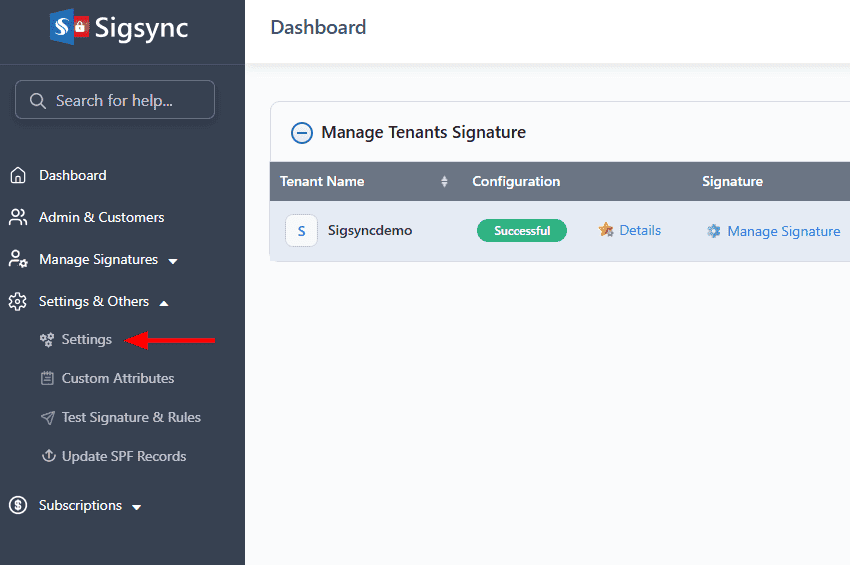
- Go to ‘Settings & Others’, then select the ‘Settings’ tab.
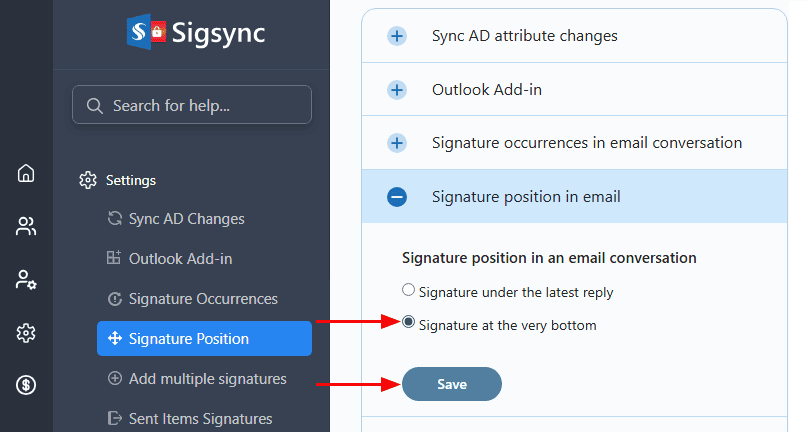
- Navigate to the Signature position section, select the ‘Signature at the very bottom’ option, and click the ‘Save’ button to apply the changes.
As shown in the screenshot below, the email signature is added only at the end of the entire email conversation, after all replies and forwarded messages, rather than appearing in each email within the thread.
Useful Links:
In this manual

