

Manage Secure Messages
Sigsync Office 365 Email Signature Software applies special handling rules for secure emails. Secure messages, including encrypted and digitally signed emails, are sensitive to any changes made to their content, including the message body and attachments. Even minor modifications can break encryption or invalidate a digital signature.
Because of this, email signatures and disclaimers cannot be applied directly to the original secure messages. Instead, Sigsync allows you to control how these messages are handled—either by excluding them from signature processing or by attaching the secure message to a newly created email where a signature can be applied safely.
Secure Message Handling Options
Navigate to the links below to configure how secure messages are processed:
Do Not Process Secure Messages
This is the default option in Sigsync and ensures that encrypted or digitally signed emails remain completely unchanged. When enabled, secure messages are excluded from signature and disclaimer processing and are delivered in their original form without any modifications.
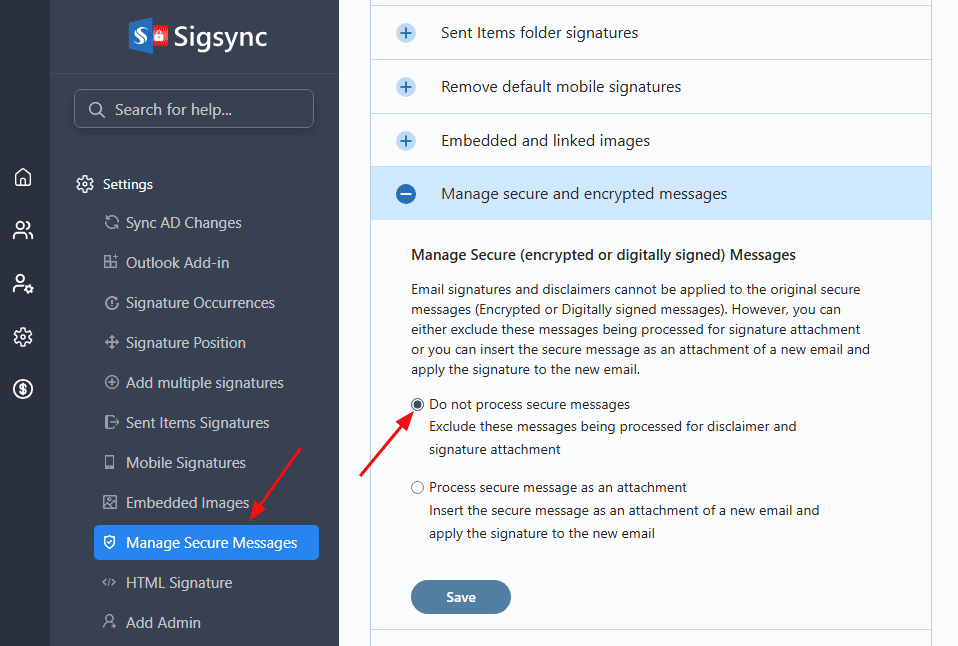
This approach is recommended when preserving encryption and digital signatures is the highest priority.
Process Secure Message as an Attachment
This option allows you to apply an email signature while keeping the original secure message intact. Sigsync creates a new email, attaches the encrypted or digitally signed message, and applies the configured signature and disclaimer to the new email.
The content entered in the Body Text for the New Email field is used as the body of the newly created email, while the original secure message is included as an attachment.
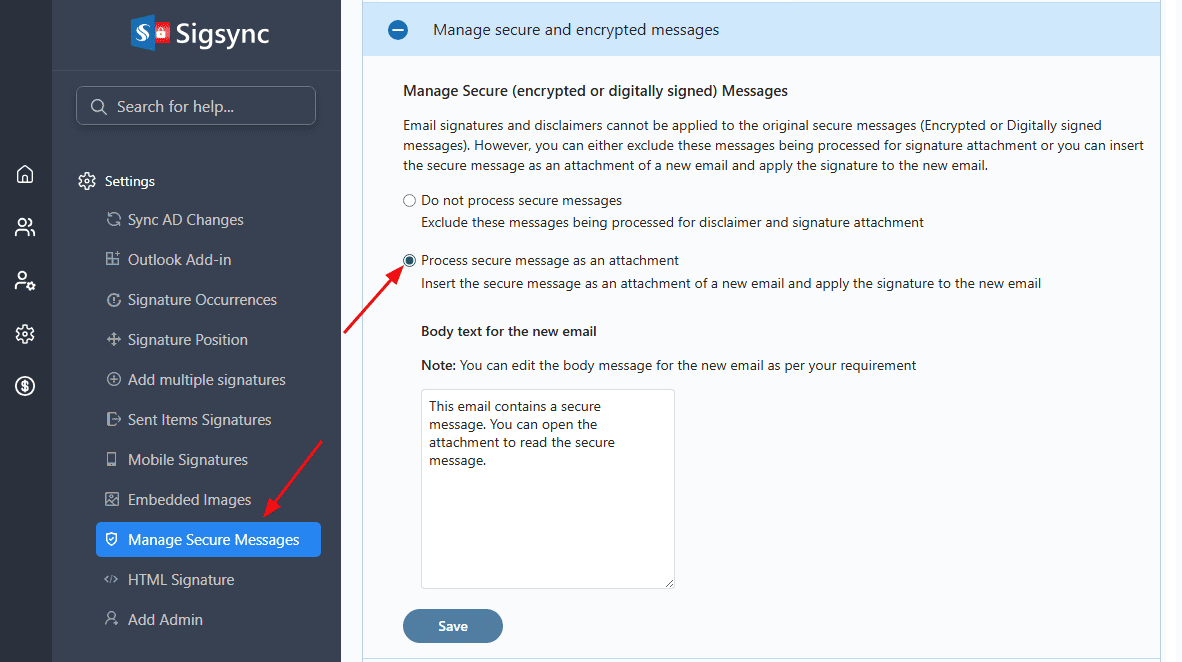
This approach ensures that branding and compliance information are added without impacting the security or validity of the original message.
Save the Settings changes
Useful Links:
In this manual

