

Set External Domains
The Set External Domains option in Sigsync allows administrators to define which domains should be considered external when applying email signatures. By default, Sigsync treats all domains within your Office 365 tenant as internal and considers any other domains as external.
Using the Add to External Domain List option, you can customize this classification by specifying certain internal domains as external. This makes it easier to manage separate signature templates for internal and external emails, ensuring consistent branding and compliance across all messages.
Steps to Add External Domains
- Login to the Sigsync Dashboard.
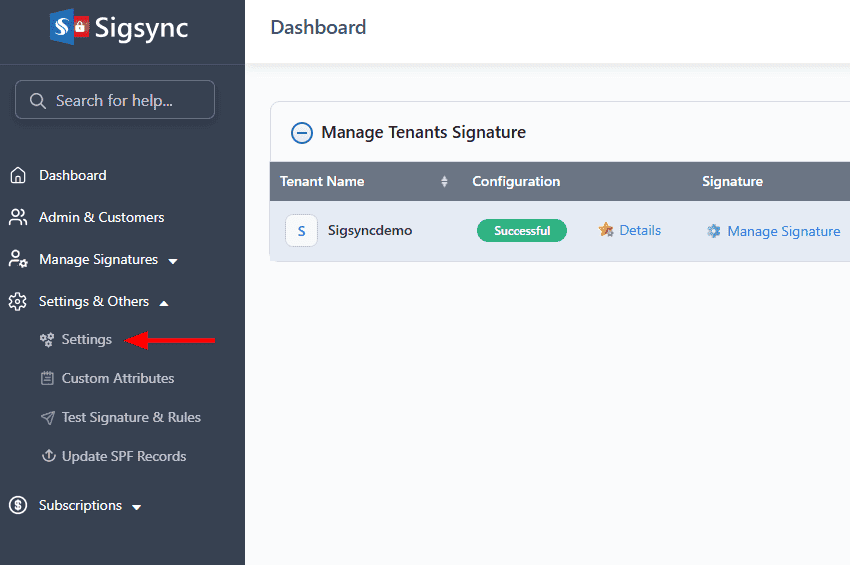
- Go to ‘Settings & Others’, then select the ‘Settings’ tab.
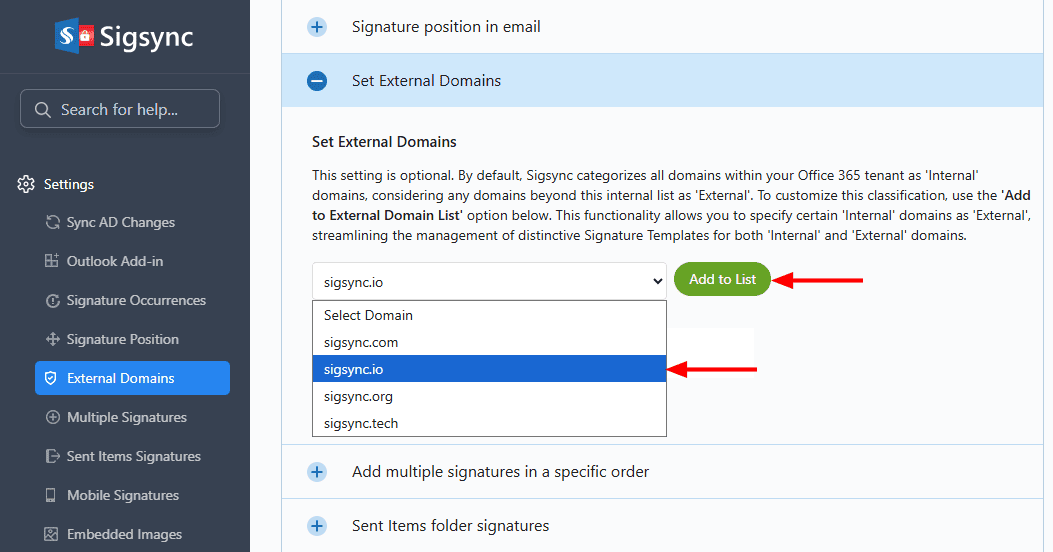
- Navigate to the ‘Set External Domains’ section, select the domain from the drop-down list, and click the ‘Add to List’ button.
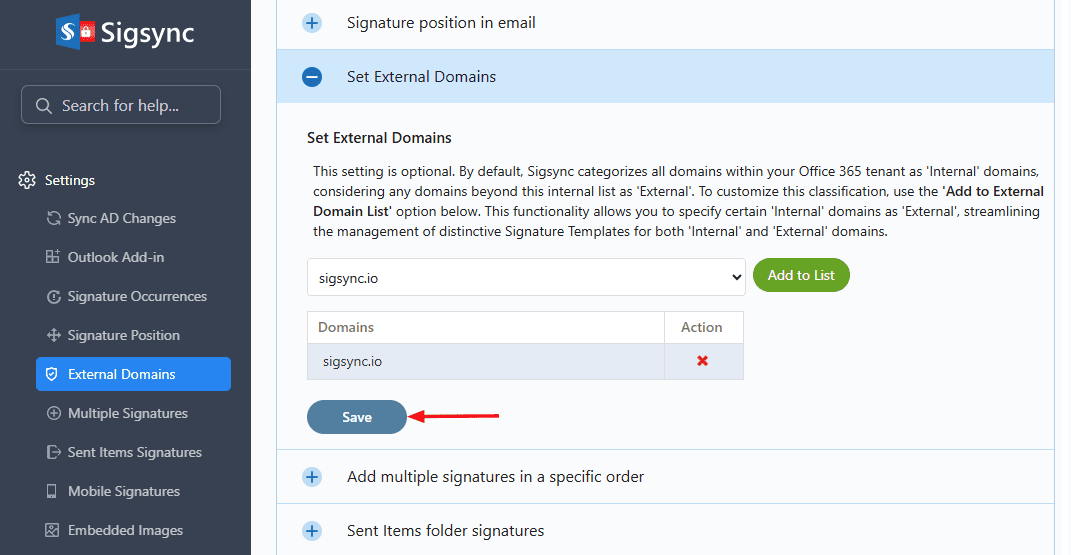
- Click the ‘Save’ button to apply the changes.
Useful Links:
In this manual

