

Add Multiple Signatures in a Specific Order
Sigsync Office 365 Email Signature Service allows administrators to apply more than one signature to an email when required. The ‘Add multiple signatures in a specific order based on signature rules’ option is particularly useful when email signatures are divided into multiple templates—such as contact details, banners, and disclaimers—and need to be applied conditionally based on rule configuration.
When this option is enabled, Sigsync applies multiple signature templates according to the configured signature rules, rule configuration, and rule priority. Each signature is added in the defined order, ensuring that all signature components appear correctly and consistently within outgoing emails.
Required Rule Configuration for Adding Multiple Signatures
To add multiple signatures in a specific order using Sigsync, ensure the following rule configuration is completed:
- Create multiple signature rules, with each rule linked to a specific signature template.
- Configure the rule conditions based on your requirements (for example, senders, recipients, keywords etc.).
- Set the rule priority in the required sequence, as priority determines the order in which signatures are applied.
- Configure the Rule Execution Flow for each rule to ‘Go to the next rule’ for both:
- If this rule is applied
- If this rule is not applied
This rule configuration ensures that all applicable rules are processed sequentially and that multiple signatures are added to the email.
Steps to Enable Add Multiple Signatures Option
- Login to the Sigsync dashboard.
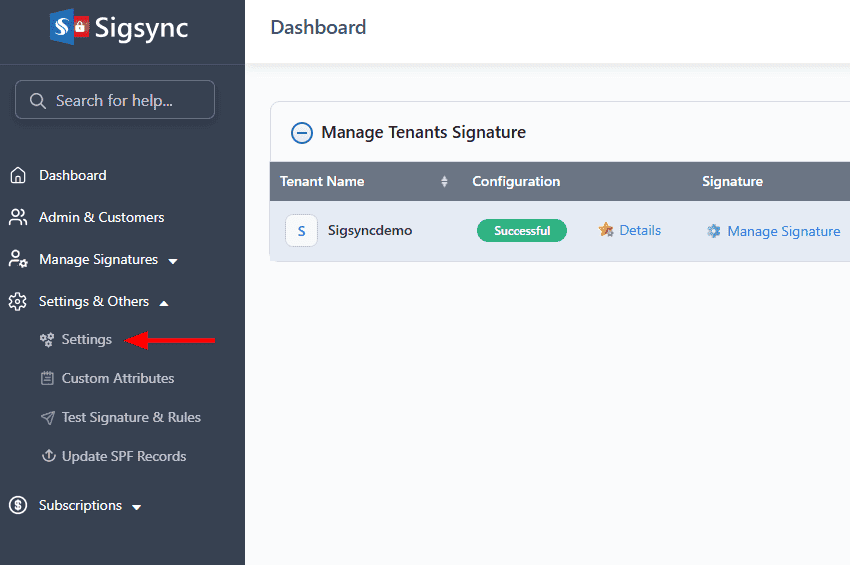
- Go to ‘Settings & Others’, then select the ‘Settings’ tab.
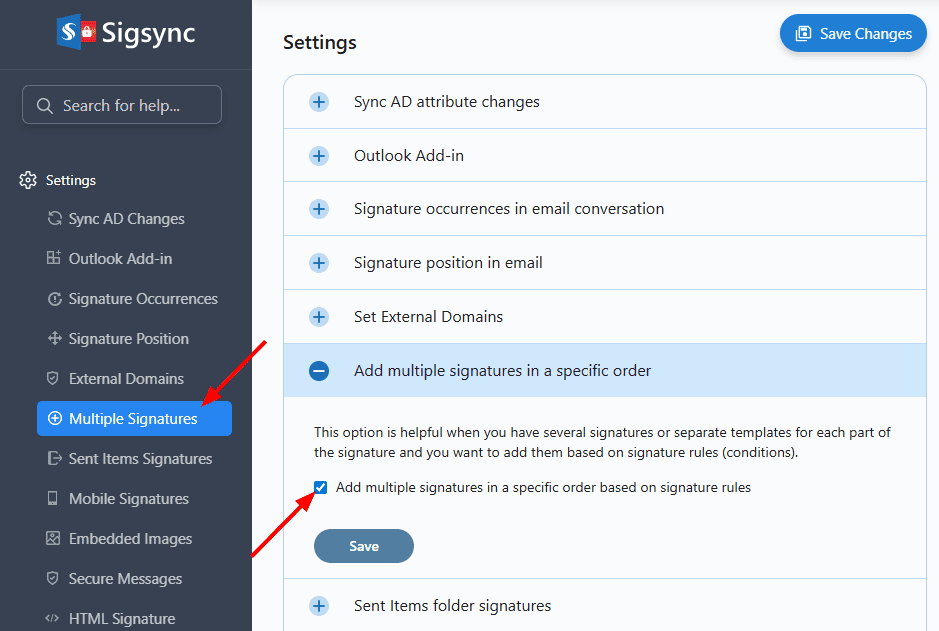
- Click the ‘Multiple Signatures’ tab, select ‘Add multiple signatures in a specific order based on signature rules’, and then click ‘Save’ to apply the changes.
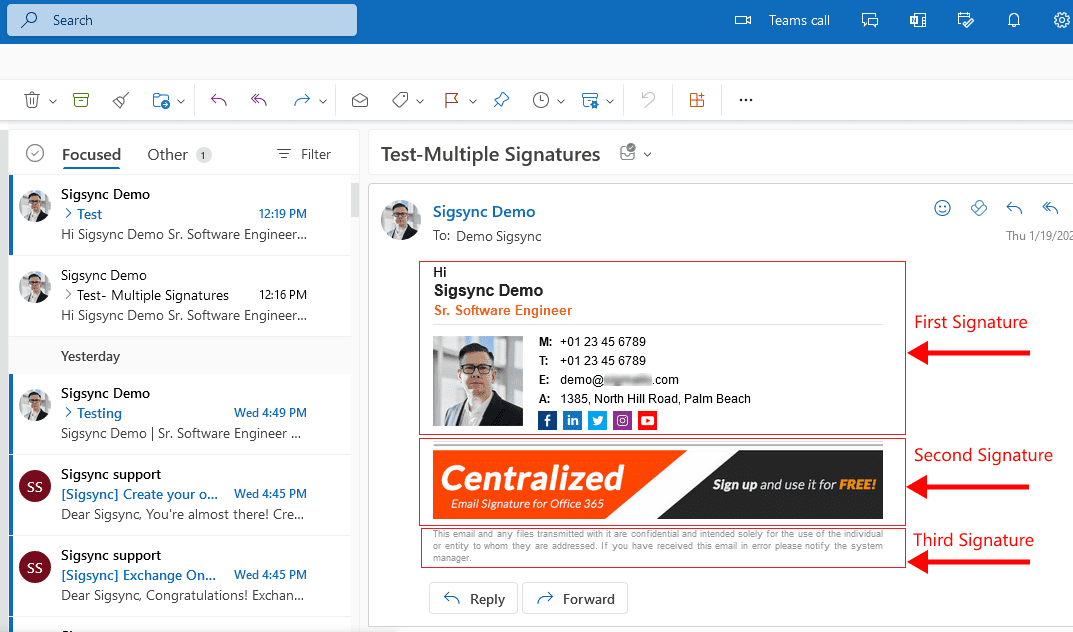
Now, open Outlook and compose a new email. Based on the configured rule configuration and rule priority, multiple signatures will be automatically added to the email in the defined order, as shown in the screenshot below.
Useful Links:
In this manual

