
-
- Reseller
-
Products
Tailored Product Demo for Your Exact Needs
Explore how our solution delivers efficiency, control, and scalability.
Request a Demo
-
Solutions
Tailored Product Demo for Your Exact Needs
Explore how our solution delivers efficiency, control, and scalability.
Request a Demo
- Dashboard
- Features
- Pricing
Sigsync Reseller Dashboard Login
Welcome to the Sigsync Reseller Login. This login page provides secure access for partners and resellers to manage their accounts, licenses, and customer tenants all from a centralized dashboard. With your reseller credentials (or via Microsoft 365 sign-in if you registered), you can instantly login and start administering multiple customer accounts.
Once logged in, you gain full control to add customers, assign or manage licenses, configure email signature templates, and manage tenants, making it easy to deliver consistent, professional email signatures for each of your clients.
Need help or a walkthrough? Our 24/7 support team is ready to assist, and you can schedule your free product demo with just a click.
Follow the steps below to login to the Sigsync Reseller Dashboard
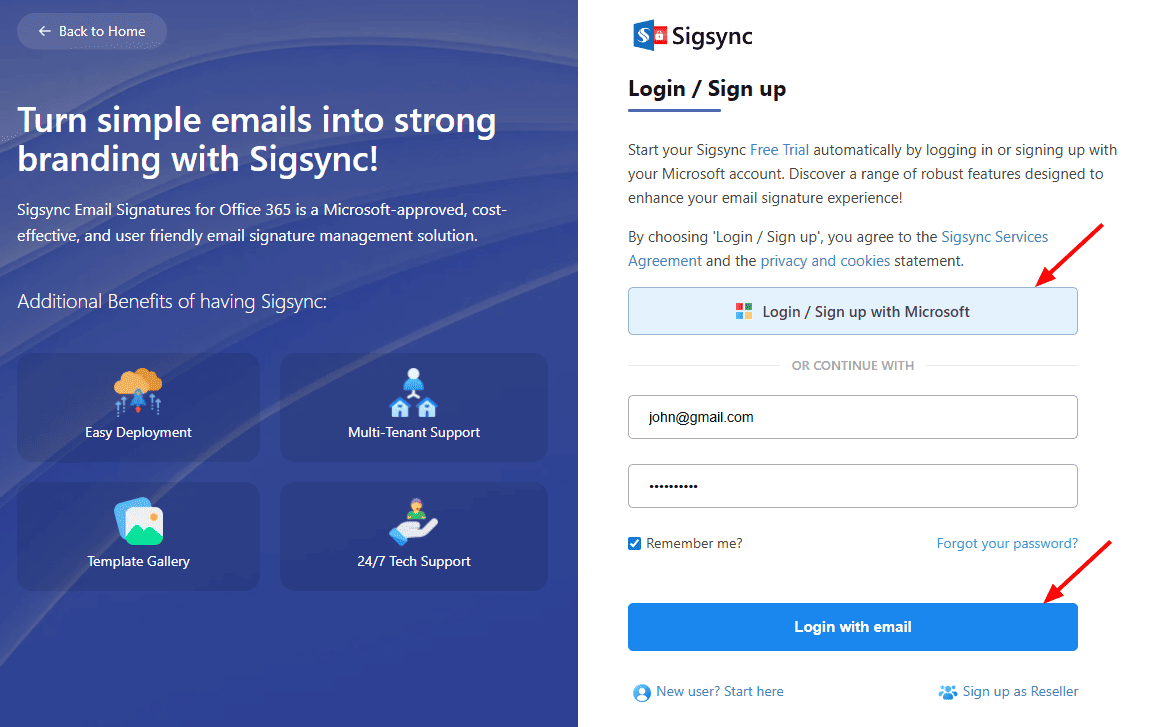
- If you created your reseller account using your Microsoft account, simply click the ‘Login / Sign up with Microsoft’ button to access your dashboard instantly, as shown in the screenshot below. If not, enter your registered reseller email address and password and click ‘Login with email’ to proceed.
- After logging in, navigate to the 'Admin & Customers' tab, where you can add customers and manage tenants.
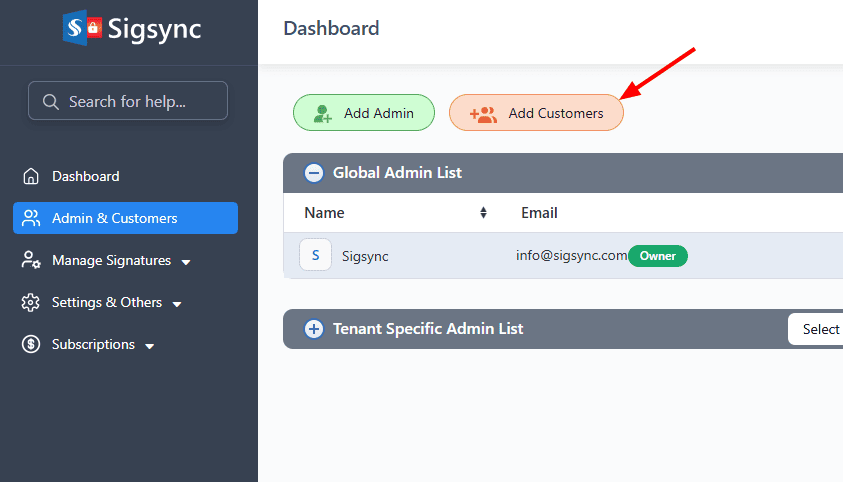
Click here to see the steps to add customers under the reseller account.
Useful Links:
In this manual

